Current version : v25.4 (release date : 2021-05-20)
Step 1 – Download the appropriate PBToolbox package
Powerbuilder 10.0
Powerbuilder 10.5
Powerbuilder 11.0
Powerbuilder 11.5
Powerbuilder 12.0
Powerbuilder 12.5
Powerbuilder 12.6
Powerbuilder 2017
Powerbuilder 2019R3

Step 2 – Unzip the package (it is protected by a password, email me at pbtoolbox@gmail.com to get it)
Step 3 – Install C++ 2019 runtimes vcredist_x86.exe which is in the folder prerequisites
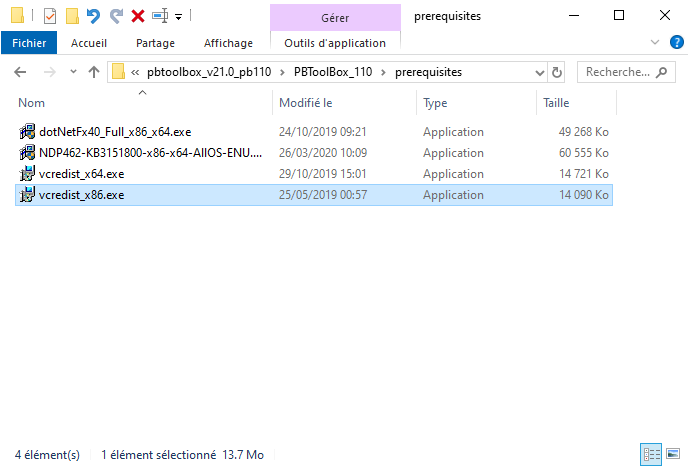
Step 4 – If Framework .NET 4.0 is not installed on your computer, install dotNetFx40_Full_x86_x64.exe which is in the folder prerequisites

Step 5 – Open demo_app.pbw workspace in your Powerbuilder IDE and accept migration (source code is in Powerbuilder 10.0 by default)


Step 6 – Run pbtoolbox_demo application. You should have this screen. Just browse and discover the power of each component

If you encounter problem to setup PBToolbox on your computer, send us email at pbtoolbox@gmail.com.
Important : quickstart application contains individual samples

If you want to be notified by email each time a new version is released, just fill the form below


 PB Toolbox